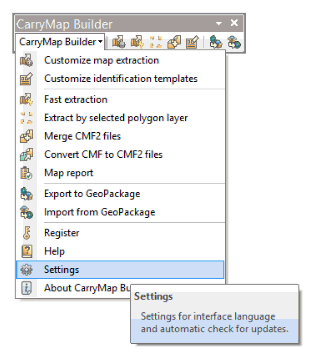
You can change language settings for CarryMap Builder interface, as well as check for availability of recently released CarryMap Builder updates. To do so, select Settings item on CarryMap Builder toolbar.
To change interface language settings, check the appropriate language as shown below.
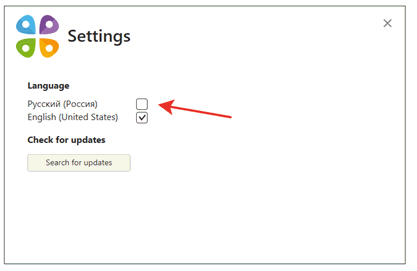
The interface language will be changed accordingly.
To check for availability of CarryMap Builder updates, press Search for updates. If you have the most recent CarryMap Builder version installed, you will see the following dialog:
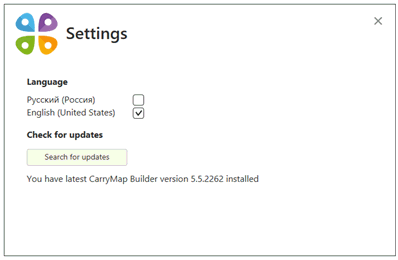
If you have one of the previous CarryMap Builder versions installed, you will see the appropriate dialog, where you can press Download update to install the most recent version.