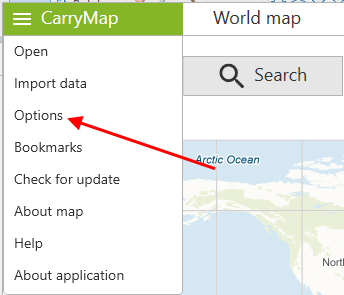
You can access the application Settings from the menu on the start page of the application or from the main menu in the map window.
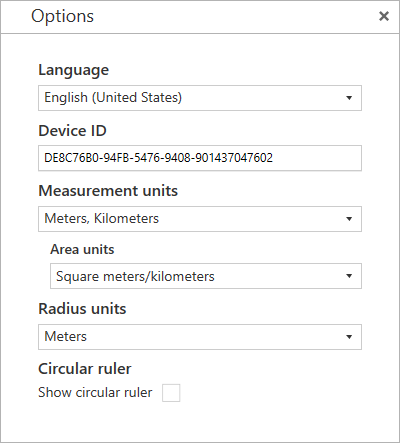
In this window, you can change the general settings of the application and find out information about the device ID:
Language – changing the app UI language, the currently available language options are Russian or English.
Device ID – viewing and copying information about the device ID based on which the availability of maps protected by device ID is determined (see Working with protected maps).
Measurement units – changing the measurement system:
Radius units – changing the radius measurement units, the available options are Metric system (meters, kilometers) or British system (feet, miles).
Curcular ruler – changing the display of elements of the circular ruler in the map window.