
-
CarryMap Builder
- About CarryMap Builder
- Installing CarryMap Builder
- Licensing
- Registering CarryMap Builder license
- Creating mobile map from ArcGIS Pro project
- Managing identification templates
- Extracting map by selected polygon layer
- Merging multiple CMF2 maps
- Converting CMF to CMF2
- Generating map reports
- Importing and exporting data in GeoPackage format
- Setting CarryMap Builder
- Support
Registering CarryMap Builder license
Note that to use CarryMap Builder you will need a license. Go to site CarryMap Builder to learn about provided licensing types and to buy CarryMap Builder. Contact sales@xtools.pro for details.
After getting CarryMap Builder license, you need to register it:
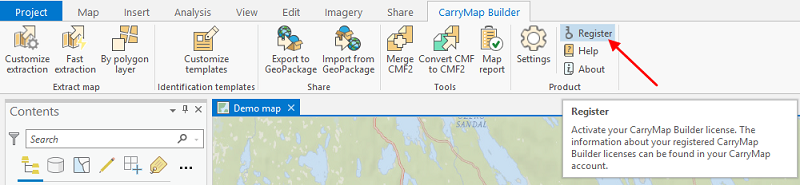
Press Register button on the CarryMap Builder tab.
|
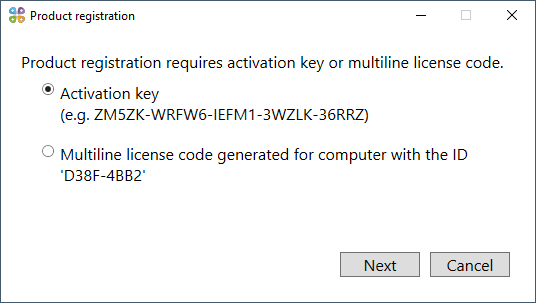
Select the appropriate variant and press Next .
|
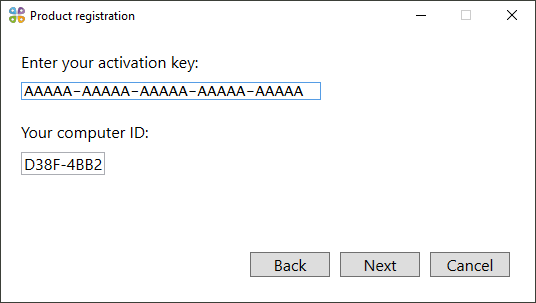
Enter the activation key in the appeared window and press Next .
|
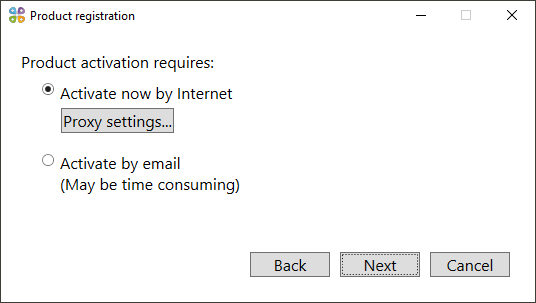
Select the activation method and press Next .
|
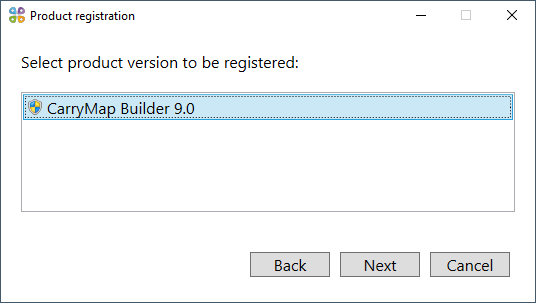
Select the product version to be registered and press Next .
|
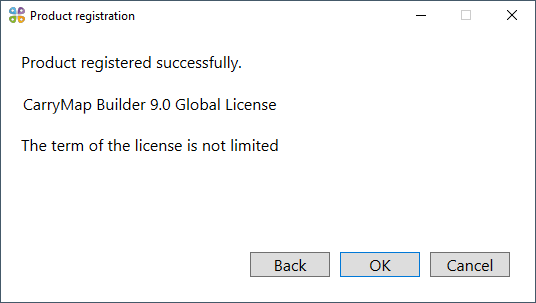
Your CarryMap Builder license is registered. Press OK to continue.
|
If you have any problems during registration or while using the license, contact us at support@xtools.pro .