
-
CarryMap Builder
- About CarryMap Builder
- Installing CarryMap Builder
- Licensing
- Registering CarryMap Builder license
- Creating mobile map from ArcGIS Pro project
- Managing identification templates
- Extracting map by selected polygon layer
- Merging multiple CMF2 maps
- Converting CMF to CMF2
- Generating map reports
- Importing and exporting data in GeoPackage format
- Setting CarryMap Builder
- Support
Setting CarryMap Builder
You can change language settings for CarryMap Builder interface, as well as check for availability of recently released CarryMap Builder updates. To do so, press Setting on the CarryMap Builder tab.
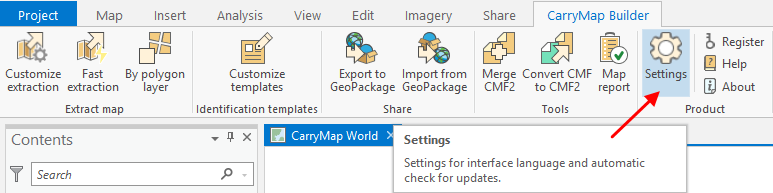
|
To change interface language settings, check the appropriate language as shown below.
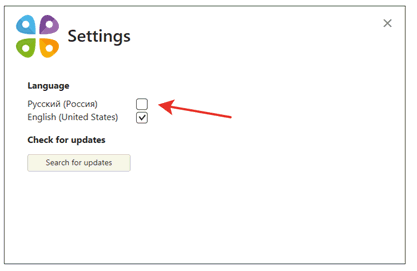
|
The interface language will be changed accordingly.
To check for availability of CarryMap Builder updates, press Search for updates . If you have the most recent CarryMap Builder version installed, you will see the following dialog:
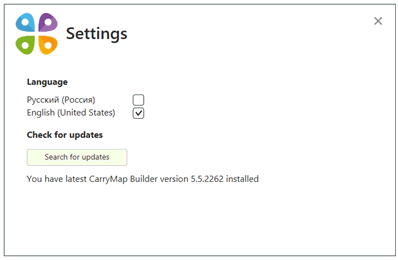
|
If you have one of the previous CarryMap Builder versions installed, you will see the appropriate dialog, where you can press Download update to install the most recent version.