
-
CarryMap for Android
- About the app
- Application terminology
- Section 1. Getting started and configuring the app
- Section 2. Application data
- Section 3. Opening maps and creating projects
-
Section 4. Creating and editing features
- About GeoPackage
- Creating new features
- Creating features by coordinates
- Creating point feature by photo
- Creating points with single tap
- Recording track
- Selecting symbol when creating feature
- Adding attachments to feature
- Filling in fields using QR code
- Editing features
- Adding and viewing Z coordinates
-
Section 5. Additional functionality
- Track log
- Use as a destination point
- Searching features
- Measuring on the map
- Circular ruler
- Creating marks
- Creating bookmarks
- Save map extent
- Selecting map scale
- Finding current location
- Sharing location information
- Displaying information from GPS/GLONASS receiver in the map window
- Use external GPS receivers
Working with protected maps
Maps in the CMF2 format can have several types of protection (configured when creating a map), such maps are marked with additional symbols in the Maps catalog.
The maps
protected with password
are marked with the lock
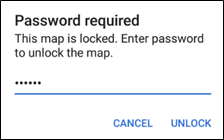
 icon. To open the password protected map, tap its name, enter password in the appeared window and tap
Unlock
.
icon. To open the password protected map, tap its name, enter password in the appeared window and tap
Unlock
.
|
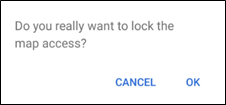
The map will be opened in the project. Now access to this map is allowed, to lock it again, go to
My maps
tab, press
 in the appeared window, and then
ОК
.
in the appeared window, and then
ОК
.
|
Access to your map is locked and you will need to enter password again to continue working.
Maps that are protected with the
validity period
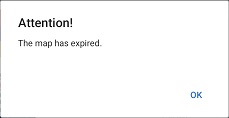
are additionally marked in the list of maps only if the validity period of the map has not started yet or has already expired. If the map validity has expired at the time you open it, the map icon looks like
 and the appropriate message appears.
|
Maps that are
protected by device ID
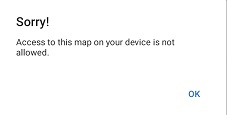
are additionally marked in the list of maps only if the access to the map is not allowed for your device. In this case, a symbol
 will appear next to the map, and when you try to open such a map, a corresponding message appears.
|