
Circular ruler
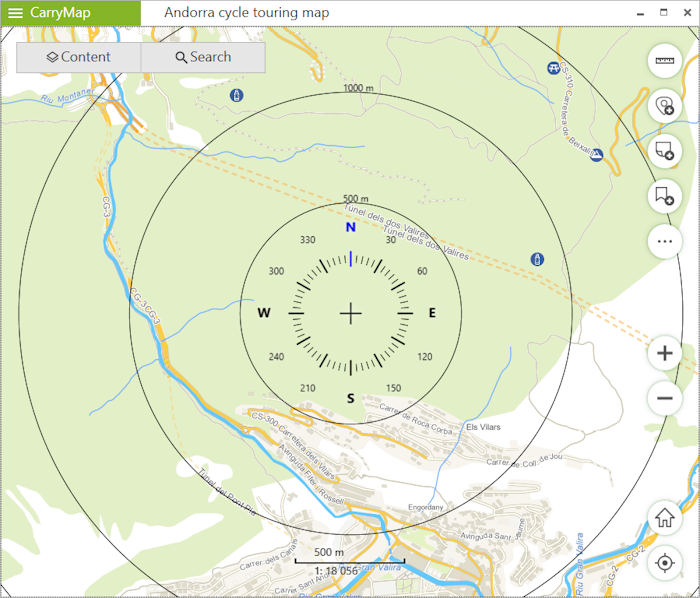
The circle ruler is used to determine distances and directions on a map in real time.
The circular ruler consists of:
- Limbus used to determine direction of the sides of the horizon on the map;
- Set of circular zones showing the distance from the center of the screen. *
|
* Please note that the zones sizes are calculated automatically depending on the map scale. The distances are displayed in the units specified in the Application settings section.
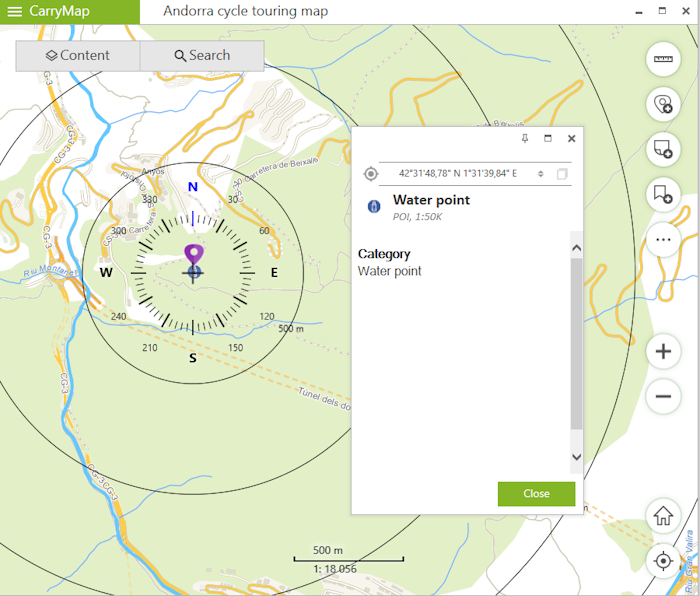
The elements of the circular ruler are linked to the identification pushpin. When objects are identified, the map automatically positions to the identification pushpin, and the center of the circular ruler does not change its position when map is panned, or map scale is changed.
|
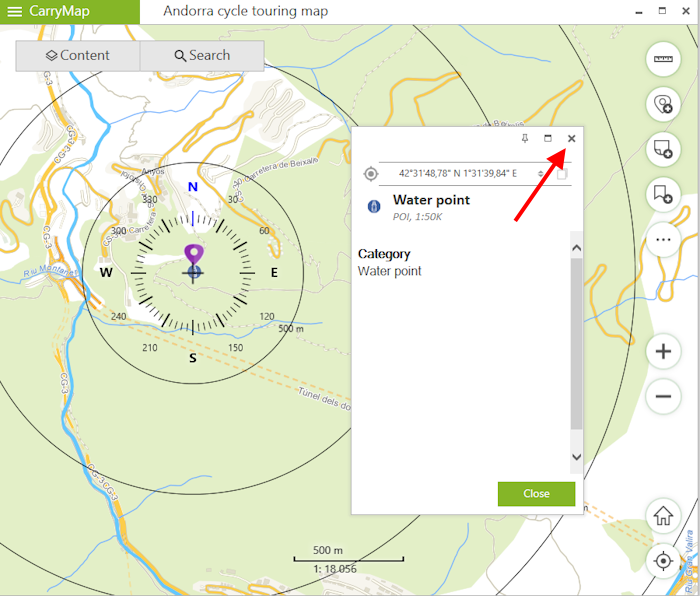
To display the circular ruler in the center of the screen again, close the identification card.
|
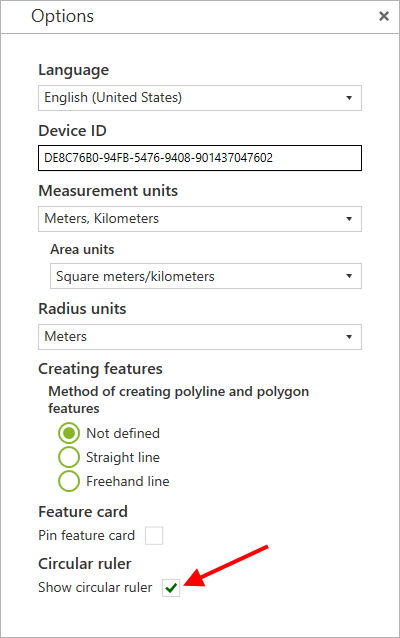
The display of the circular ruler in the map is disabled by default.
To enable the display of the circular ruler in the map, go to Application settings section and in Circular ruler section select Show circular ruler .
|