
Checking for updates
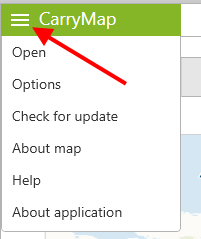
Press Menu on the CarryMap panel in the upper left corner.
|
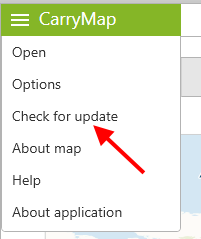
In the appeared menu press Check for update.
|
The application will check availability of CarryMap updates. In case of finding any newer CarryMap version you will see the appropriate dialog suggesting downloading it.